1. Function description
After the 1.1 receives the emergency alarm reported by the vehicle and continues for the specified level 1 duration, the level 1 alarm is triggered.
After the 1.2 alarm is triggered and the emergency alarm lasts for the specified level 2 duration, upgrade to level 2 alarm
2. operating instructions
2.1 basic information
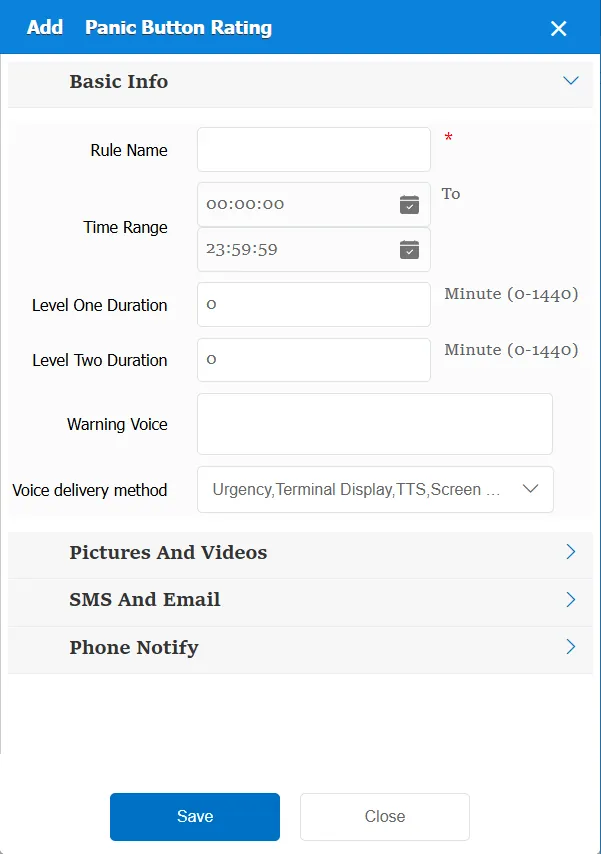
Rule Name: Customize, customize the name according to the actual situation
Time Range: the time period when the rule takes effect.
Level Duration: Emergency button alarm, reaching Level 1 duration
Level Duration: Emergency button alarm, reaching Level 2 duration
Alarm Voice: the text message sent to the device when the alarm is triggered.
Match all vehicles:
No: Only valid for vehicles assigned by this rule
Yes: this rule is effective for all vehicles of the company.
Global Share:
No: Only visible to this company
Yes: visible to all companies on the platform
2.2 alarm information display
Vehicle bubble box alarm display:
This alarm is not displayed in the vehicle bubble box
alarm center alarm display:
This alarm is not displayed in the alarm center
2.3 alarm information query
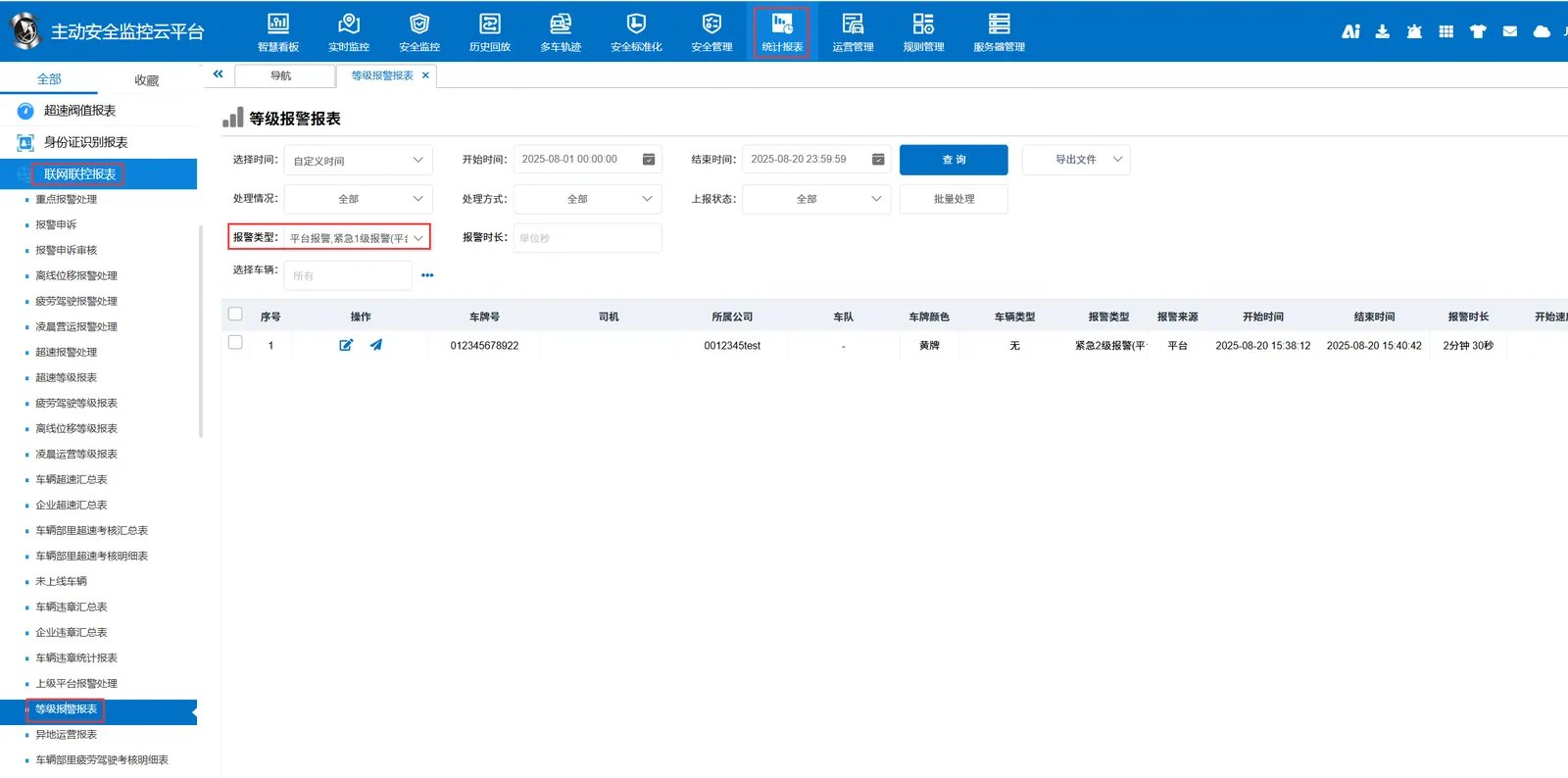
The alarm information is queried in the report of "Statistics Report"- "Network Joint Control Report"- "Level Alarm Report", and the alarm type is "Emergency Level 1 ~ Level 2 Alarm (Platform)"