1. Function description
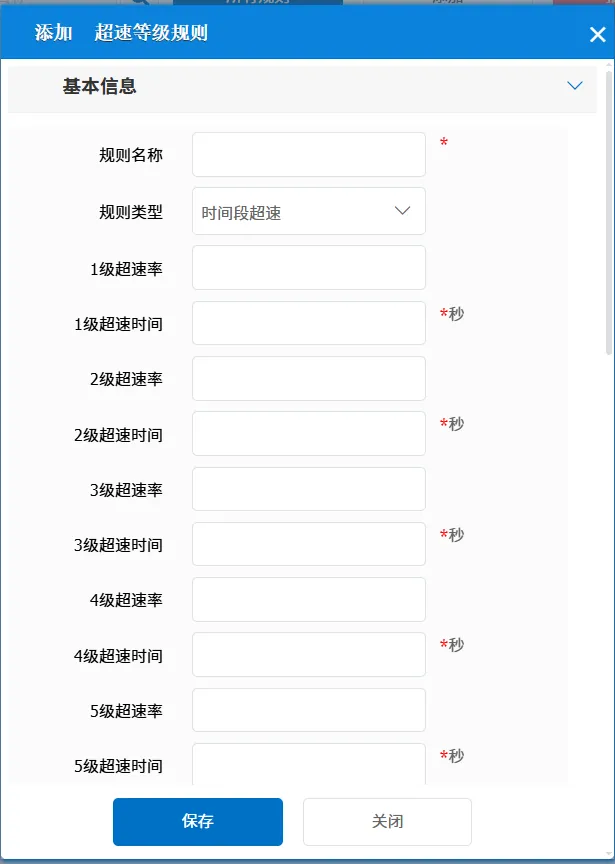
To enable this rule, you need to integrate the map interface first. See the description document: Road Class Speed Limit Integration Description. It judges whether the vehicle is overspeed according to the speed limit value or road type returned by the map interface, and further judges the overspeed rate and overspeed time on the basis of overspeed to finally determine the overspeed level alarm.
2, operating instructions
2.1 basic information
Rule Name: Customize, customize the name according to the actual situation
Rule Type: There is only one option: time period speeding
** overspeed rate and grade overspeed time **: it is divided into 5 grades, each grade corresponds to a group of overspeed rate and overspeed time; When judging the rules, one of the following three conditions can be met
① Meet the overspeed alarm
② Meet the overspeed time alarm
③ Meet overspeed rate + time alarm
In the same rule, there cannot be a mixture of these three.
Speed both exceed threshold:
No: This item is invalid
Yes: alarm only when all trajectory points are greater than or equal to the threshold value
For example, level 1 configuration is 10% +1 minute, level 2 configuration is 20% +2 minutes
The generation condition of level 1 shall meet the condition that the speed of all track points is greater than 10% and the overspeed rate lasts for 1 minute,
The generation condition of level 2 shall meet the requirement that the speed of all track points is greater than 20% and the overspeed rate lasts for 2 minutes.
Road Service Provider:
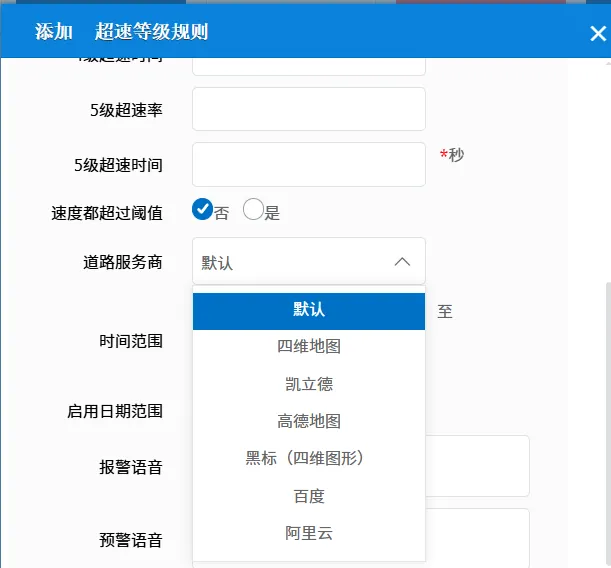
Default: is configured in the rule configuration file.
The other ones are selected according to the actual situation.
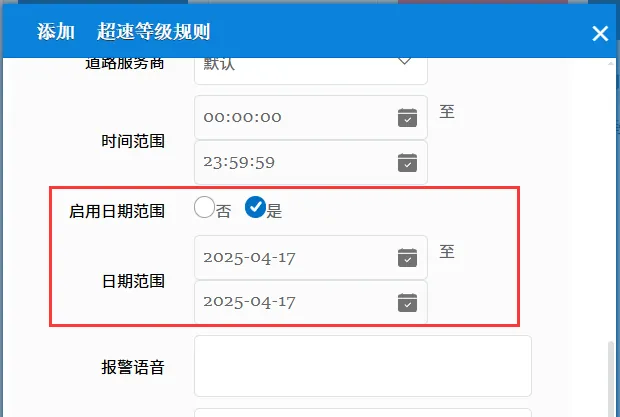
Time Range: the time period when the rule takes effect.
Enable Date Range:
No: This item is invalid, the rule is always valid.
Yes: you need to specify a time period for the rule to take effect. Within the specified date range, the rule is valid.
Alarm Voice: the text message sent to the device when the alarm is triggered.
Alert Voice: the text message sent to the device when the alert is triggered.
Road Type: if 255 is filled in after these road types, the speed limit threshold of the corresponding road type is returned by the map dealer;
If the corresponding value (non - 255) is filled in, it is determined according to the road type (RoadType) returned by the map interface, and the speed limit value of which road type is taken
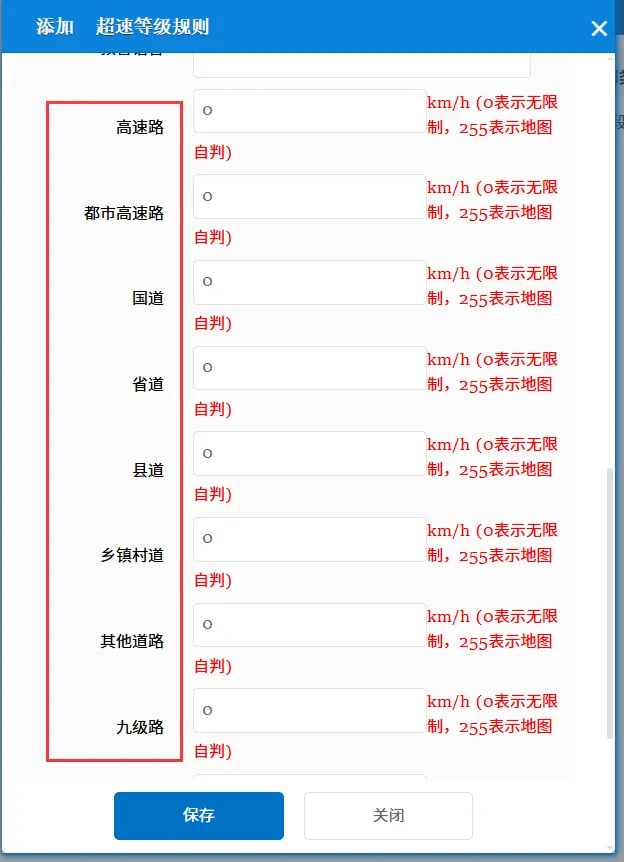
Repeated Reminder: During the alarm continuation phase, an alarm voice is sent to the device every specified time.
Match all vehicles:
No: Only valid for vehicles assigned by this rule
Yes: this rule is effective for all vehicles of the company.
Global Share:
No: Only visible to this company
Yes: visible to all companies on the platform
2.2 alarm information display
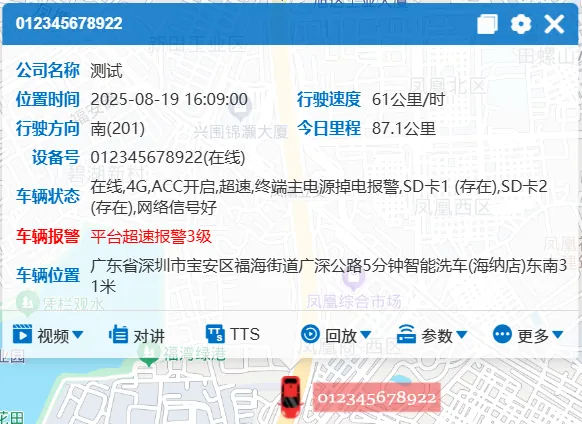
Vehicle bubble box alarm display:
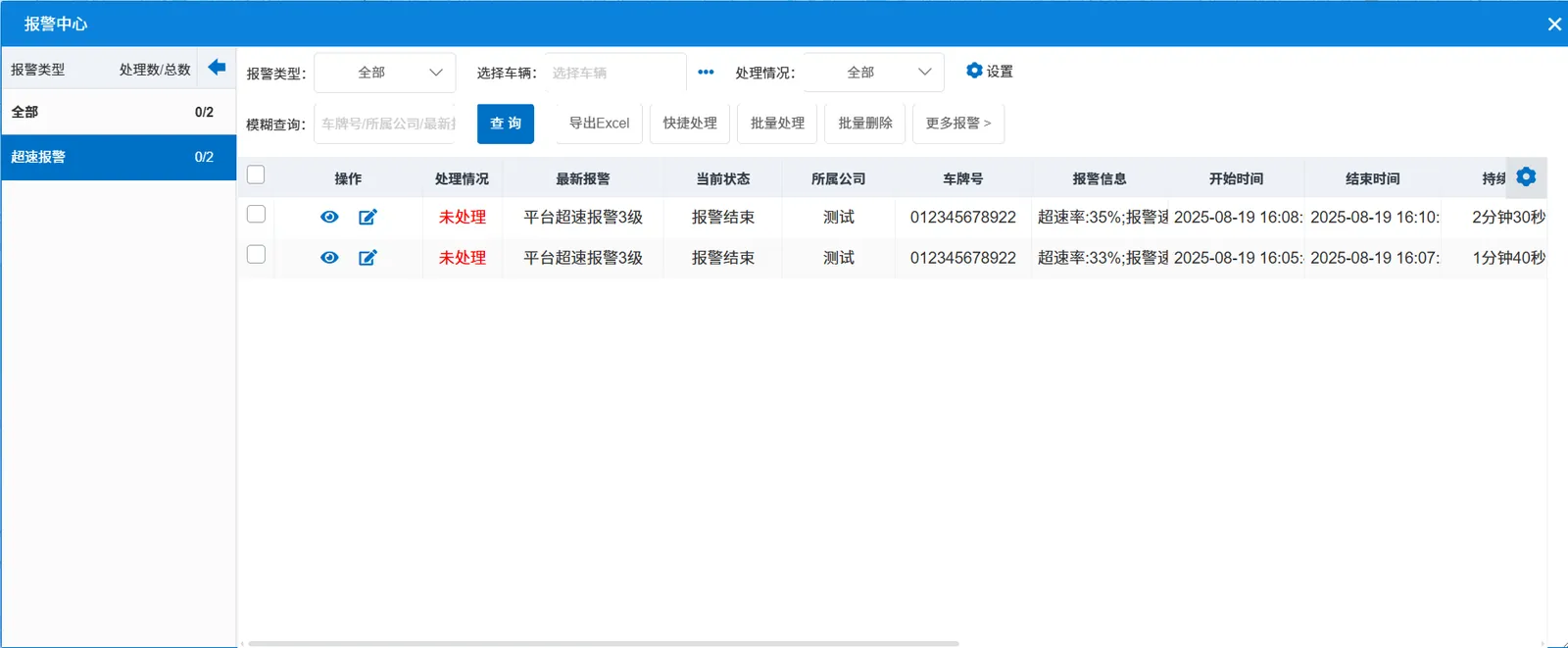
alarm center alarm display:
2.3 alarm information query
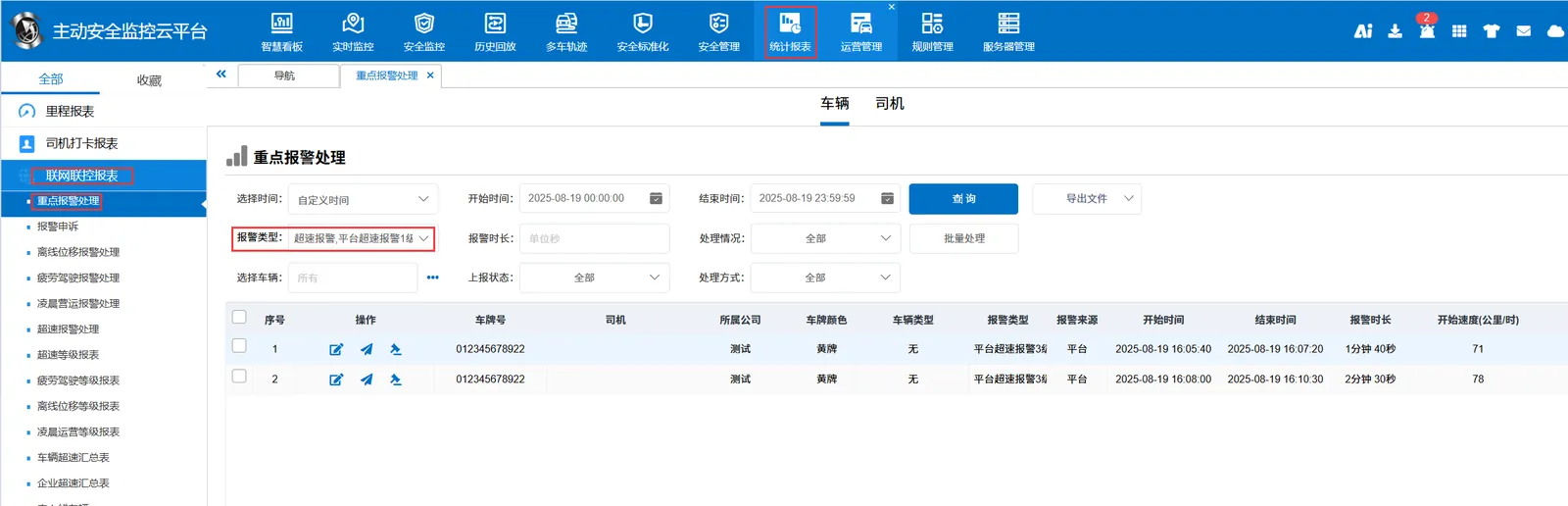
The alarm information is queried in the report of "Statistical Report"- "Network Joint Control Report"- "Key Alarm Processing", and the alarm type is "Platform Overspeed Alarm Level 1~5"